· Suppliers · 8 min read
Vendor Management Software: Streamlining Orders, Invoices, and Inventory
A practical comparison of restaurant vendor management software platforms — what they do, who they're built for, and how to choose the right one.
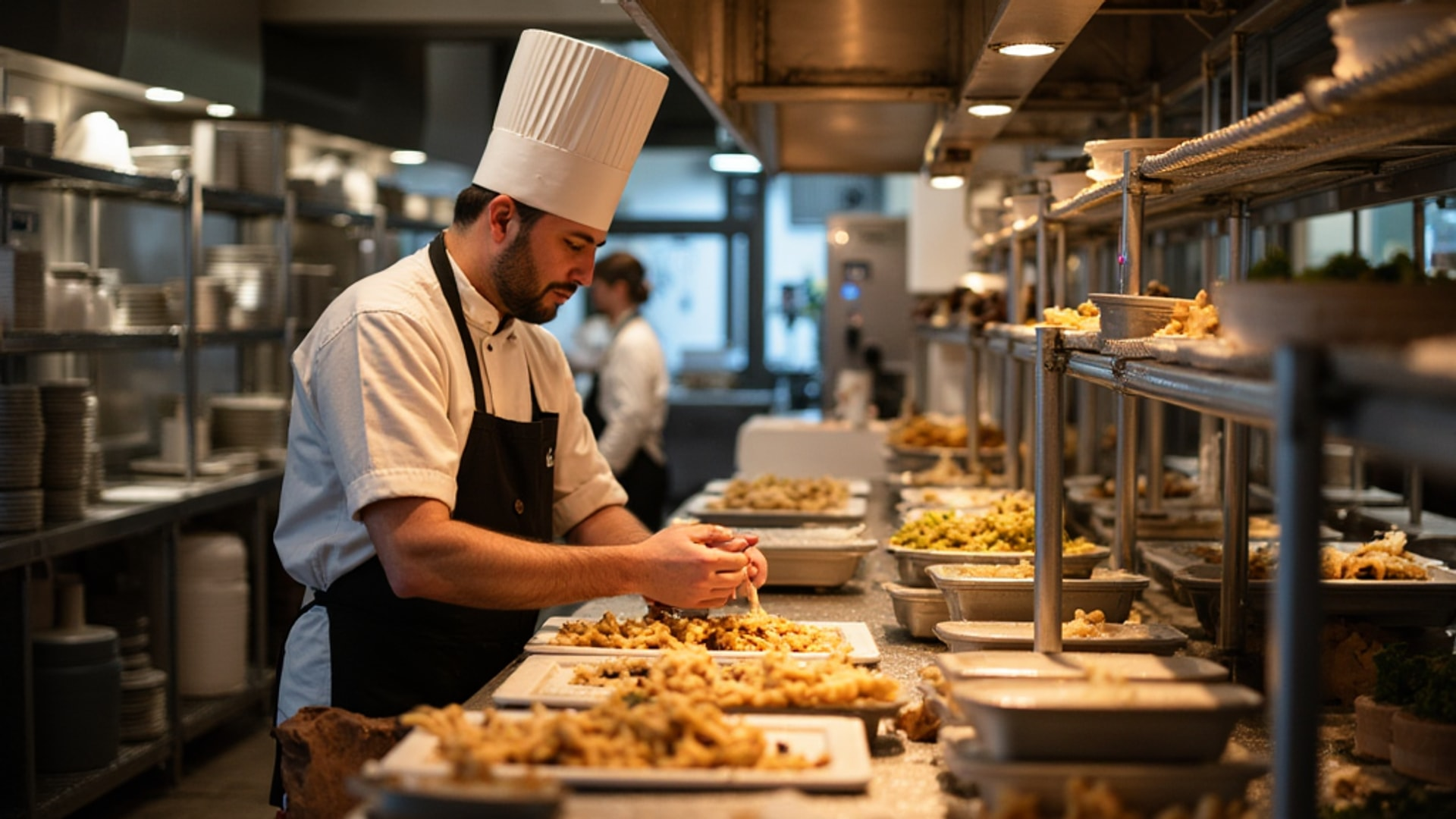
Most restaurants manage their purchasing the same way they always have: phone calls, emails, paper invoices, and spreadsheets that someone forgets to update. The result is predictable — orders get missed, invoices get lost, price increases go unnoticed for weeks, and nobody has a clear picture of what the kitchen is actually spending until the month-end food cost report reveals a problem that’s already been baked into dozens of service shifts.
Vendor management software exists to close that gap. It centralizes purchasing, provides real-time visibility into costs and inventory, and creates an audit trail that makes price creep and order errors visible the moment they happen rather than weeks later.
What Vendor Management Software Actually Does
The core value proposition is centralization. Instead of managing five vendor phone calls, three vendor websites, and a stack of delivery invoices, everything runs through one platform. Orders go out from a single interface; invoices come in and are matched against purchase orders automatically; inventory levels update when deliveries arrive.
The specific capabilities to evaluate include:
Purchase order management: Creating, sending, and tracking orders to multiple vendors from a single interface. The time savings here are real — consolidating ordering workflow eliminates the context-switching between vendor portals, email threads, and phone calls that fragments kitchen management attention.
Price tracking and variance alerts: The most financially valuable feature for most operations. When a vendor raises a price — or substitutes a product at a different price point — good vendor management software flags the discrepancy before you pay the invoice. Price creep is a silent food cost killer. Systematic price monitoring makes it visible.
Invoice processing and matching: Automated or semi-automated matching of invoices against purchase orders catches discrepancies in quantity, price, or product before payment. Manual invoice processing is time-consuming and error-prone; automated matching is faster and more accurate.
Inventory integration: When deliveries are received and logged in the system, inventory levels update automatically. This real-time inventory visibility is the foundation of food cost management — you can’t control what you can’t accurately measure.
Reporting and analytics: Purchasing history by vendor, product category, time period, and location enables cost negotiation, identifies trends, and supports menu engineering decisions. The data that accumulates in a vendor management system is a genuine business intelligence asset.
POS integration: Connecting purchasing and inventory data to your point-of-sale system closes the loop between what you buy and what you sell, enabling accurate theoretical food cost calculations and waste identification.
The Major Platforms
MarketMan is one of the most widely adopted vendor management platforms in the restaurant industry, designed for operations of all sizes. Its core functionality includes a unified vendor and order management interface, automatic flagging when vendor prices increase or become irregular, and the ability for chefs and managers to submit purchase orders and check status from a single platform. POS integration with major systems extends its utility into actual food cost tracking. MarketMan is often the entry point for restaurants moving from manual processes to digital purchasing — the learning curve is manageable and the feature set covers the core use cases well.
Craftable differentiates through live inventory tracking alongside its vendor management features, combined with labor cost management that provides a broader operational view. Restaurants that want food and labor cost management in a single platform rather than separate tools find this integration compelling. The multi-vendor ordering interface allows orders to go to all vendors from one screen — a meaningful time saver for kitchens dealing with multiple suppliers daily.
Apicbase is built for multi-unit restaurant operations. Its strength is generating detailed purchasing history reports by unit and supplier, while enabling headquarters to monitor orders and supplier performance across all locations simultaneously. For restaurant groups and franchisors, this visibility is essential — seeing that Location B is ordering 20 percent more of a high-cost ingredient than Location A without a clear explanation is exactly the kind of anomaly that Apicbase is designed to surface.
Milagro takes a comprehensive approach to procurement centralization, integrating every vendor, order, contract, and invoice into a single platform with real-time synchronization of purchase orders, delivery schedules, and communications. For operations where procurement complexity is high — many vendor relationships, custom contract terms, complex delivery logistics — the depth of Milagro’s integration justifies its more extensive implementation.
NetSuite enters the conversation for larger restaurant groups and hospitality companies that need enterprise-level capabilities. It offers centralized purchasing, automated reordering, vendor performance monitoring, and supplier cost comparison within a much broader ERP (Enterprise Resource Planning) system. NetSuite’s restaurant-specific implementation covers the procurement use cases, but its primary value is as a comprehensive business management platform rather than a focused purchasing tool. The implementation cost and complexity reflect this.
Supy provides the deepest functionality for complex multi-unit operations. Multi-level approval workflows prevent unauthorized purchasing at the unit level. Live price variance control surfaces cost deviations in real time. Full central-kitchen and internal ordering support serves restaurant groups that operate commissary kitchens supplying their locations. For operations at that scale, Supy’s sophistication is appropriate.
How to Choose
The selection decision should be driven by three factors: your operational complexity, your technical capacity, and your budget.
Operational complexity: A single-location restaurant with five vendors needs different software than a 15-location group with 40 vendor relationships. Higher complexity justifies more feature-rich platforms. Single locations should start with MarketMan or Craftable. Multi-unit groups should evaluate Apicbase, Milagro, or Supy depending on their specific workflow.
Technical capacity: Implementation requires someone to configure the system — loading vendor contacts, setting up product catalogs, connecting POS integrations. More powerful platforms require more implementation effort. Honestly assess your team’s technical capacity and appetite for setup work. A system you implement poorly is worse than a simpler system you implement correctly.
POS integration: Before evaluating platforms, confirm which systems integrate with your specific POS. A vendor management system that doesn’t talk to your POS is only half the solution — you lose the ability to automatically compare purchasing costs to sales data. Most major platforms support integrations with the leading POS systems, but verify specifics before committing.
Budget: Pricing for vendor management software varies widely and is typically not transparent on vendor websites — you’ll need to request quotes. The investment is real, but so is the return. Food cost reductions of even 1 to 2 percentage points from better purchasing visibility and price management pay for most platforms quickly in a restaurant with meaningful volume.
The Implementation Reality
Software selection is the easy part. Implementation is where most restaurants underinvest and then wonder why the tool isn’t delivering results.
A successful implementation requires loading your vendor catalog — all vendors, all products, current prices — into the system at launch. This is time-consuming but essential. A system with incomplete data gives incomplete analysis. Establish purchasing workflows that the kitchen team actually follows: orders go through the platform, not around it, because a buyer who calls a vendor directly and doesn’t log the order defeats the entire system.
Train the team before launch. Most platforms offer onboarding support; use it. The initial weeks of a new system are when habits form — establish good ones from the start.
Review the data. The most common failure mode is purchasing software that gets set up and then runs in the background without anyone actually using its reporting to make decisions. Schedule a monthly food cost review that includes purchasing data from the vendor management system. Look at price variance reports. Compare actual purchasing to theoretical based on sales data. The insights the software generates are only valuable if someone acts on them.
The Baseline Case: What You Gain
The immediate gains from implementing vendor management software are primarily operational: less time on phone calls and email, fewer ordering errors, faster invoice processing. These translate to real time savings that can be redirected to higher-value activities.
The medium-term gains are financial: visibility into price increases, waste reduction through better inventory accuracy, and data to support vendor negotiations. Lightspeed’s supply chain management guide found that companies with strong supply chain visibility can reduce inventory and related costs by 22%. A purchasing history that shows exactly what you’ve ordered from each vendor over the past 12 months is a powerful negotiation tool — you can negotiate from facts, not impressions.
The long-term gain is institutional knowledge. Staff turnover is constant in restaurants. When purchasing processes live in one person’s head and their notebook, turnover means starting over. When processes live in a system, turnover means training the new person on the system — a much smaller loss.
→ Read more: Par Level Inventory Management
→ Read more: Restaurant Technology Landscape
→ Read more: Food Cost Control Tips
If your restaurant is currently managing purchasing through scattered emails, phone calls, and manual invoicing, almost any of the platforms described here will materially improve your operations. Start with what you can actually implement, use it consistently, and let the data tell you what your next investment should be.